Rarevision VHS: Retro Cam
RarevisionPhotography
4.71.18K Reviews
- Version
- 1.6.14
- Installs
- 100.00K
- Age Rating
- Everyone
Screenshots
Our Review of Rarevision VHS: Retro Cam
 Analysis by Appyee
I think the most useful way to judge a retro camera app is to ask what you want the finished video to do. If the goal is a convincing, polished record of an important event, I would reach for a regular camera and edit afterward. If the goal is to make an ordinary moment feel like a found clip from another decade, Rarevision VHS: Retro Cam has a clear point of view. It is a paid photography app from Rarevision, and its appeal is less about replacing a phone camera than choosing a particular mood before you press record.
A distinctive look, with a trade-off
The trust question matters with any camera app, because filming can capture more than the subject you intended: voices, faces, and details in the background all become part of a clip. I would treat this app as a creative tool, not assume that a retro effect says anything about how footage is stored or handled. The practical habit is simple: decide what you are comfortable recording, and check the app’s visible prompts and device settings when you install or use it. I would not infer privacy protections from the visual style.
There is also a useful distinction between making a video look old and making it useful as a record. VHS-style softness and visual noise can make an ordinary scene more atmospheric, but they can also obscure small details. For a keepsake where you want to recognize a face clearly years later, I would keep a clean original as well, then use the stylized version as a second edit when that workflow is available. The effect is a creative choice, not a substitute for a dependable archive.
Make the choice before the moment passes
For spontaneous filming, the main advantage of a dedicated look is that you can commit to a visual idea while the moment is happening. That also makes the decision less reversible than recording neutrally and choosing an effect later. When I care more about the memory than the aesthetic, I prefer to capture a straightforward version first; when the texture is the point, recording directly in a retro style can make the result feel more cohesive.
That distinction is especially useful at a birthday, a casual family gathering, or a walk through a familiar neighborhood. A short clip of people chatting around a table may benefit from the imperfect home-video atmosphere, while a speech or a once-only performance is a poor place to gamble on an effect if clarity matters. I would keep those clips brief and intentional rather than leave the camera running through an entire event.
The app is aimed at people who enjoy a recognizable analog-video treatment and want to make that mood quickly on a phone. It is less suited to anyone who needs accurate color, clean low-light footage, or maximum detail for documentation. Compared with a standard phone camera, its value is the character it adds; compared with a general-purpose video editor, its appeal is the focused VHS concept rather than a broad toolkit for every kind of correction.
Bringing Back the 80s Vibe
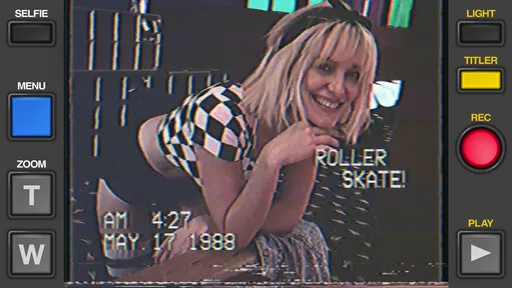
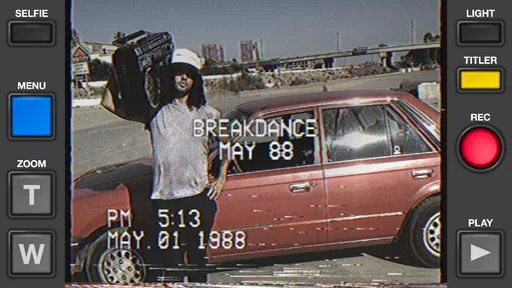
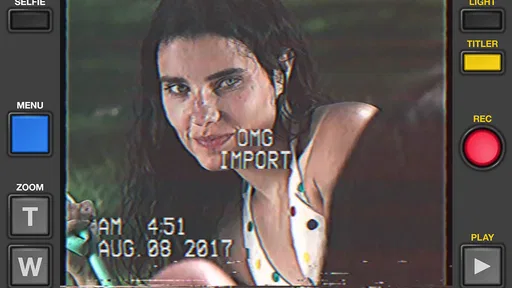
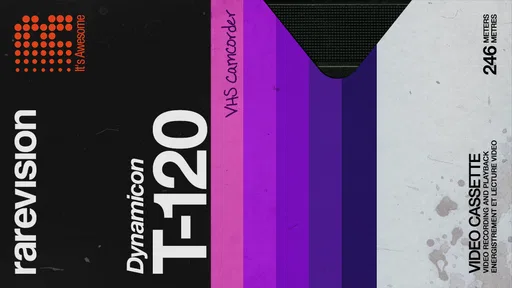
First off, let's talk about the aesthetics. The Rarevision VHS: Retro Cam app does an incredible job of transporting you straight back to the 80s. Remember those grainy, slightly fuzzy home videos your parents used to take? This app replicates that vibe perfectly. From the moment you open it, you're greeted with an interface that looks like it was plucked straight from a vintage camcorder. It's simple, it's nostalgic, and it's downright charming.
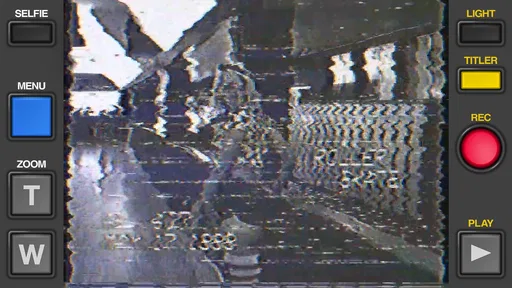
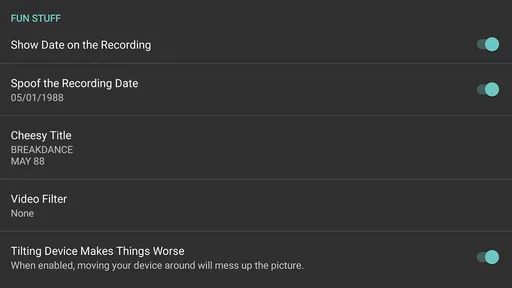
The app allows you to record videos that mimic VHS tapes, complete with those iconic tracking lines and faded colors. You can even add cheesy, timestamped titles to your videos to enhance the retro feel. Honestly, it’s like having a time machine in your pocket.
Features That Stand Out
One of the coolest features is the ability to switch between different VHS looks. Whether you want something from the early 80s or a look that’s more late 90s, the app has got you covered. You can also adjust the video quality, making your footage look either crisp or as grainy as you want.
That range makes a difference in how I would use it. I would start with a lighter treatment for a clip where expressions and movement matter, then make the texture more pronounced when the video is meant to feel deliberately rough. A strong effect can suit a quick joke or a stylized montage, but it may compete with faces and busy backgrounds. Trying a few seconds before filming a longer take is a sensible way to settle on a look without discovering afterward that it overwhelms the scene.
Another nifty feature is the option to import videos from your gallery and apply the VHS effect to them. So, if you’ve got some modern footage that you want to give an old-school twist to, it’s just a few taps away. This flexibility is a huge plus for anyone looking to add a retro touch to their existing videos.
Importing also gives you a useful alternative to capturing everything in the app. If you already have a clean clip, you can use it as the starting point for a retro version rather than making the effect part of the original recording. I would keep the untouched file separate, especially for a video I might want to reuse in a different style later. That small bit of file organization prevents a fun edit from becoming the only copy of a meaningful moment.
Where the retro treatment earns its place
If you're into social media, this app is a goldmine. The retro aesthetic is hugely popular on platforms like Instagram and TikTok. With the app, you can create unique content that stands out from the usual polished videos. Your followers will love the throwback style, and it’s a great conversation starter.
A more everyday use is filming a familiar place in a way that makes it feel newly remembered: a rainy window, a late-evening kitchen, or a quick clip of friends arriving. The VHS treatment can turn an unremarkable scene into something with a point of view. I would keep the subject easy to read and avoid putting crucial text or small details near the edges, where visual distortion can make them harder to follow.
Also, it’s just plain fun to use. There’s something oddly satisfying about making your videos look like they were filmed decades ago. Plus, if you’re a filmmaker or content creator, this app provides a quick and easy way to add a vintage touch to your projects without needing expensive equipment.
For a creator, I see it working best as a source of short inserts, transitions, or deliberately lo-fi cutaways rather than as the only camera for a whole project. A consistent treatment can tie those shots together, but it will not automatically match footage recorded elsewhere. If a sequence combines clean video and VHS-styled clips, I would make that contrast intentional instead of expecting the app to make the two sources look naturally identical.
Cost, compatibility, and practical limits
The price is $4.99, so I would decide whether the VHS look is something I expect to use more than once before buying. It is not the right pick if I only want a one-off filter and already have a video editor that can produce the particular effect I need. On the other hand, someone who enjoys recording directly in this style may find a dedicated camera experience more convenient than building the look from scratch every time.
It has a 4.7 average from around 12,000 ratings, and more than 100,000 installs. Those figures suggest that the app has found an audience, but they do not tell me whether its specific workflow suits my own needs. The content rating is Everyone. It was released on February 17, 2016, and version 1.6.14 supports Android 5.0 and later, which is useful context if you are checking compatibility with an older device.
Before relying on it for an event, I would test the whole process on the phone I plan to use: open the camera, record a short clip, review the result, and make sure I can find the saved video afterward. That is not a special trick for this app so much as a practical check for any camera workflow, but it matters more when the style is baked into the recording. A short rehearsal can also reveal whether the interface and effect choices feel comfortable under time pressure.
Things to Keep in Mind
Now, no app is perfect, and there are a few things to consider. The app is free to download, but some features are behind a paywall. If you’re serious about your retro videos, you might find yourself tempted to unlock the full version.
Also, while the app is designed to mimic VHS as closely as possible, keep in mind that it’s still an app on your phone. The effects are impressive, but they’re not going to fool everyone into thinking you’re using an actual camcorder from the 80s. That said, it’s pretty close!
I would also be cautious about using a stylized clip as the only version of something difficult to repeat. The old-video character is precisely what makes it appealing, but visual softness and simulated imperfections are not always helpful when you later want to inspect a detail. For everyday experiments, that limitation is part of the fun; for an important occasion, a clean backup is the safer creative choice.
My cautious verdict
In conclusion, Rarevision VHS: Retro Cam is a delightful throwback that captures the feel of old-school video recording. Whether you’re looking to relive the glory days of VHS or just want to add a distinctive touch to your videos, I think it is worth considering if that look is central to what you want to make. So, go ahead, give it a try, and let the nostalgia wave wash over you!
My recommendation is for people who want the VHS character itself, enjoy experimenting with looks, and are happy to trade some clarity for atmosphere. If you need a neutral camera, dependable documentary detail, or a flexible editor for many unrelated styles, I would choose a standard camera app or a broader editing tool instead. For anyone on the fence, the key question is whether they want to film through this particular visual lens often enough to justify the $4.99 cost.
Ready to dive into the retro world? You can find it for Android or iOS through the download links on our site. Happy filming!
Verdict
Strengths of Rarevision VHS: Retro Cam
- Authentic VHS filter effects.
- Easy to navigate interface.
- Regular updates with new features.
- Lightweight, doesn't use much storage.
- Fun customization options.
Limitations of Rarevision VHS: Retro Cam
- Watermark on free version.
- Limited editing tools.
- No landscape mode support.
- Battery drain on prolonged use.
- Ads in free version.
Similar Picks in This Category
View All
Google Photos
Google LLC4.4

Gallery
Google LLC4.2

Picsart AI Photo Editor, Video
PicsArt, Inc.3.9

B612 AI Photo&Video Editor
SNOW Corporation4.1

BeautyPlus-Selfie Photo Editor
PIXOCIAL TECHNOLOGY (SINGAPORE) PTE. LTD.4.5

Remini - AI Photo Enhancer
Bending Spoons4.1
Frequently Asked Questions
What features does Rarevision VHS: Retro Cam offer?
Rarevision VHS: Retro Cam transforms your smartphone into a vintage camcorder, bringing back the classic VHS look. It offers features such as time-stamped recordings, glitch effects, and customizable video quality settings. Users can also import existing videos to apply retro filters, making it versatile for both new recordings and older footage.
Is Rarevision VHS: Retro Cam user-friendly for beginners?
Yes, Rarevision VHS: Retro Cam is designed with a straightforward interface, making it accessible for beginners. The app provides intuitive controls for recording and applying effects. Additionally, it includes tutorial prompts for new users, ensuring that anyone can start creating nostalgic videos with ease.
Are there any in-app purchases or ads in Rarevision VHS: Retro Cam?
Rarevision VHS: Retro Cam offers a free version with basic functionalities, supported by occasional ads. For users seeking an ad-free experience and access to premium features, such as additional effects and higher resolution exports, there are in-app purchases available. This allows for a more tailored experience based on user preferences.
How does Rarevision VHS: Retro Cam handle video export and sharing?
The app allows users to export videos in various resolutions, depending on whether they have the free or premium version. Exported videos retain the retro aesthetic and can be shared directly from the app to social media platforms, email, or saved to the device’s gallery, making sharing seamless and efficient.
Does Rarevision VHS: Retro Cam require internet connectivity to function?
Rarevision VHS: Retro Cam primarily operates offline, allowing users to capture and edit videos without an internet connection. However, internet access is required for in-app purchases, updates, and sharing videos directly to social media platforms. This flexibility makes it convenient for users to create content anytime, anywhere.
